Data samples
Structure and hierarchy
Sample data for all product levels described on this site is available in a public S3 bucket.
- Amazon Resource Name (ARN): arn:aws:s3:::satellogic-sample-data
- AWS Region: eu-west-1
The samples are organized first by Data Processing Level (from Raw L0 to Ortho L1D_SR), then by area of interest (AOI) and Capture ID. Inside each capture, the directory structure continues with nested folders for product version and product bundle.
aws/
└── [data_processing_level]/             # L0, L1A, L1B, L1C, L1D, L1D_SR
    └── [aoi]/                           # See Sample sites section below
        └── [capture_id]/                # Also known as activity outcome id
            └── [product_version]/
                └── [product_bundle]/    # Folder containing the data and metadata
It is generally recommended to use the latest available product version in the bucket, as it is the most representative of the data currently generated and delivered. However, please note that Satellogic endeavors to upload sample data in advance of major releases, enabling customers to align their systems with the upcoming version whenever feasible. Detailed information regarding current version and bundle contents can be found on the dedicated page for each product —located under DATA / Processing Levels specification— within the Changelog and Packaging specification sections, respectively.
Sample sites
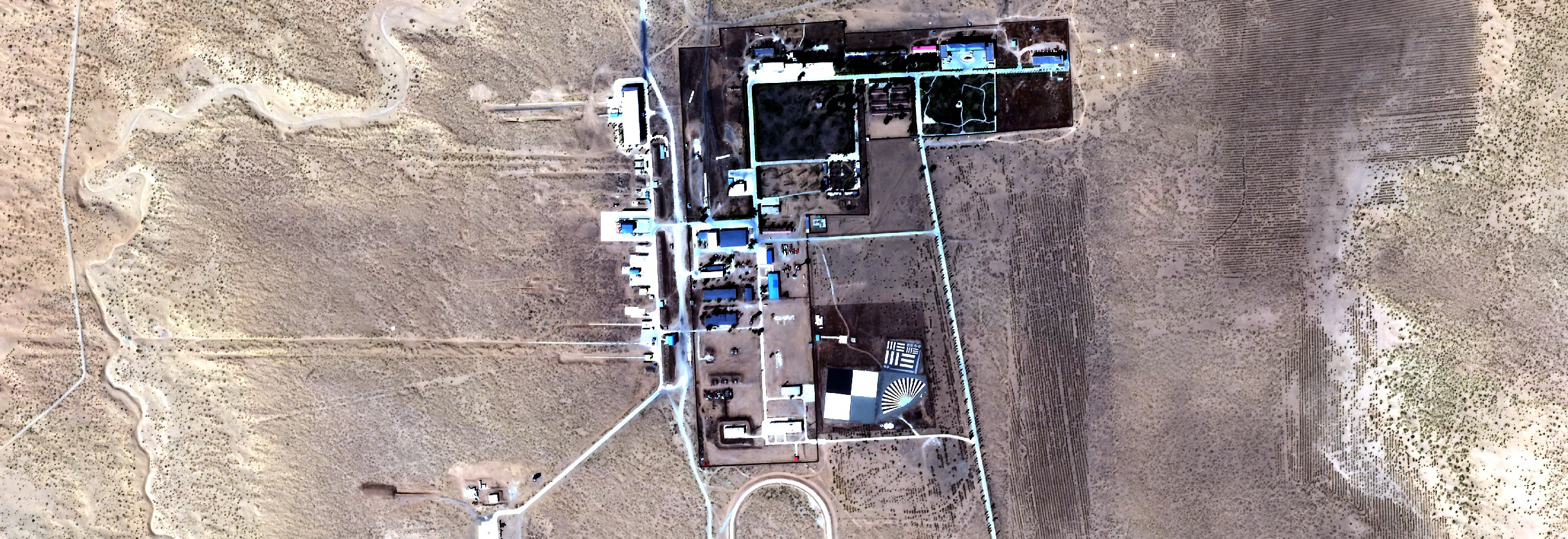
Baotou
| Capture (outcome) ID | Platform | Date | Cloud cover [%] |
Off Nadir [deg] |
|---|---|---|---|---|
| 18f16f7a-35c2-45ac-a7ec-d133df3b12b0 | newsat43 | 2024-05-15 06:33:45 | 0.41 | 16.0 |
| d0e122b9-5090-48b6-ad6f-fd5d4ff1a6d9 | newsat41 | 2024-06-11 06:22:53 | 0.80 | 14.2 |
| 0392e349-af81-4b9f-90ca-283070dc4dbb | newsat43 | 2024-06-01 06:40:39 | 7.78 | 13.7 |
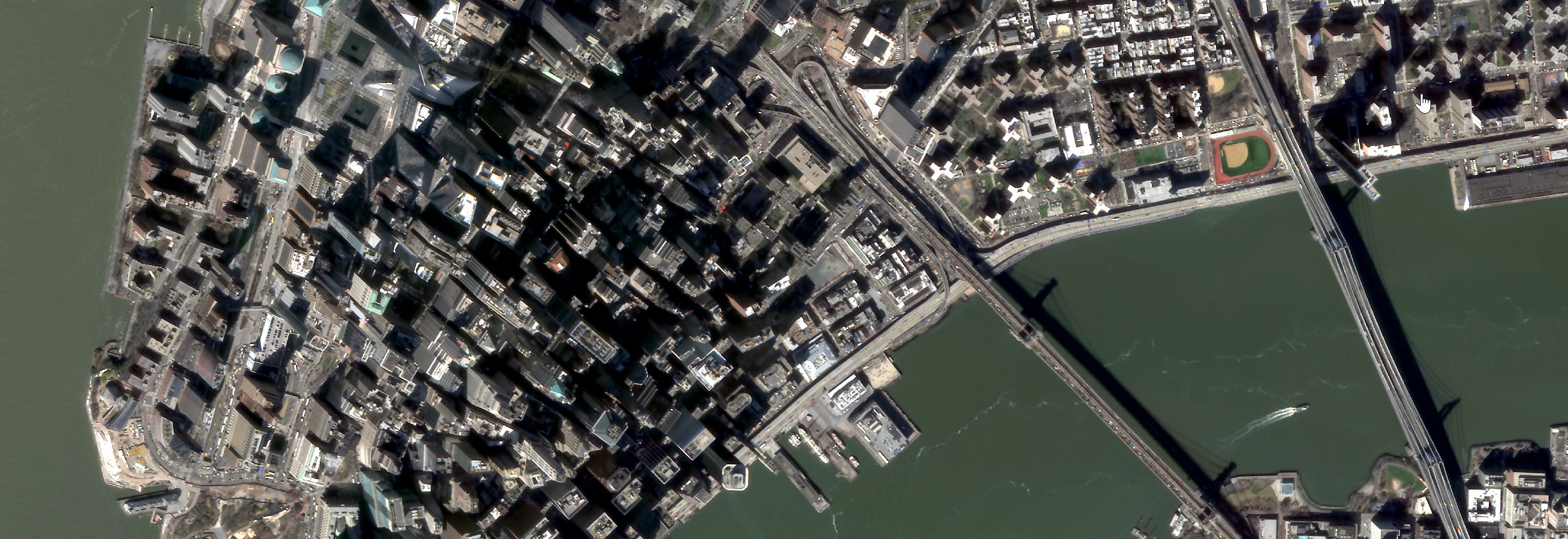
New York City
| Capture (outcome) ID | Platform | Date | Cloud cover [%] |
Off Nadir [deg] |
|---|---|---|---|---|
| 813ada9d-f2ae-4106-8704-1538aa32f3b1 | newsat43 | 2024-03-21 18:55:42 | 3.17 | 16.8 |
| dc91aea8-bb41-41a0-95b1-2e2974495aab | newsat26 | 2024-03-29 16:23:39 | 0.93 | 16.1 |
| a906b175-1280-422e-864b-57809fbafae8 | newsat41 | 2024-06-16 18:39:41 | 0.54 | 9.31 |
Pima Boneyard

| Capture (outcome) ID | Platform | Date | Cloud cover [%] |
Off Nadir [deg] |
|---|---|---|---|---|
| 0745ee8f-f307-41c7-94f7-ed1602edcc34 | newsat43 | 2024-05-31 21:18:25 | 0.22 | 14.0 |
| 6e2feebe-4795-4e5f-a5ce-c562578d2ec4 | newsat43 | 2024-06-11 21:03:20 | 0.28 | 10.9 |
| f66324c6-844a-42a4-b627-315d4def61b8 | newsat26 | 2024-05-25 18:34:06 | 0.11 | 5.0 |
| 0a9cb67d-1c04-49d6-9c06-e15df50b8002 | newsat41 | 2024-06-14 21:02:03 | 0.09 | 7.52 |
| 2e7b17c3-c6cf-4237-9e98-93ce26725527 | newsat41 | 2024-06-18 21:05:10 | 0.07 | 3.52 |
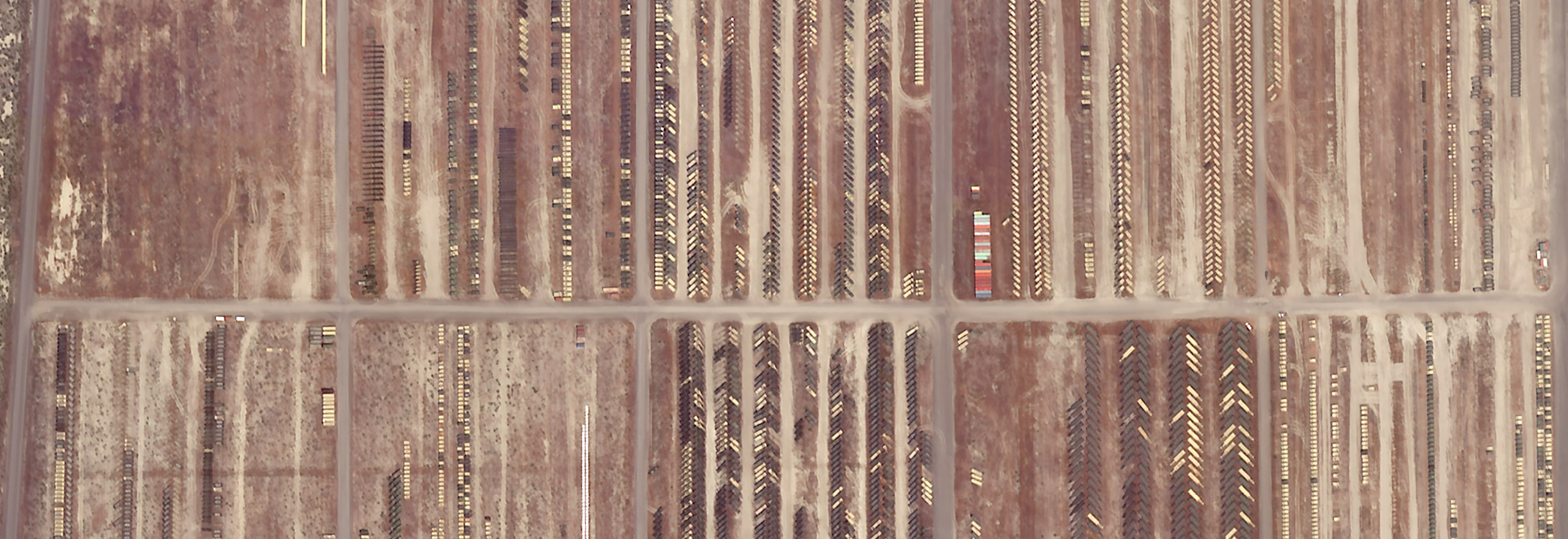
Sierra Army depot
| Capture (outcome) ID | Platform | Date | Cloud cover [%] |
Off Nadir [deg] |
|---|---|---|---|---|
| 2f5af1d6-6d65-4591-8a26-a29e0ff2d6e0 | newsat43 | 2024-05-26 21:59:17 | 0.94 | 13.8 |
| 7b81da67-59e5-4e83-9bcd-9d0b6ccafc53 | newsat43 | 2024-06-09 21:55:00 | 1.71 | 13.4 |
| a0621714-affb-4767-bc42-fd743c238c04 | newsat26 | 2024-06-06 19:23:35 | 9.05 | 3.4 |
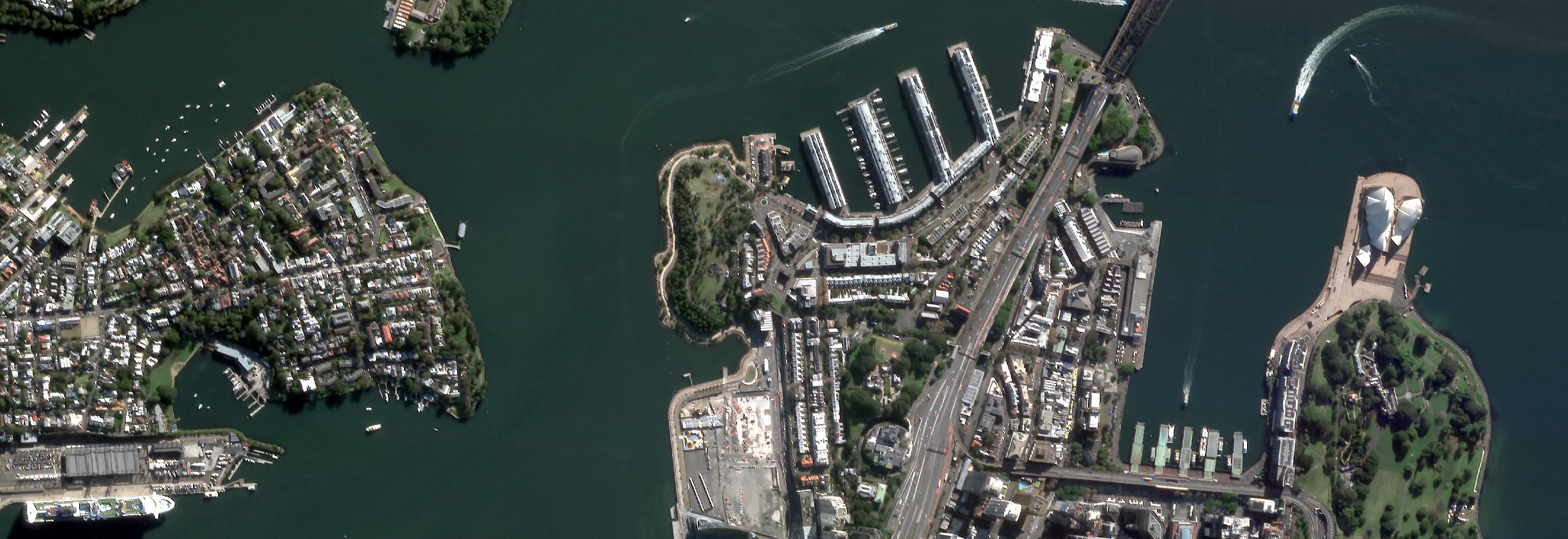
Sydney
| Capture (outcome) ID | Platform | Date | Cloud cover [%] |
Off Nadir [deg] |
|---|---|---|---|---|
| 5b6b4248-db64-43bf-bf3a-1a9fa60357cf | newsat26 | 2024-06-10 00:38:26 | 0.16 | 9.8 |
| 39c9029e-f251-46ee-a373-fab71f5fa885 | newsat43 | 2024-06-10 02:57:37 | 15.04 | 8.7 |
| 81b495ff-1b2a-49a0-bb08-204ac31ae732 | newsat43 | 2024-05-27 03:01:47 | 0.41 | 2.0 |
Access methods
AWS CLI
The easiest way is to use the AWS CLI and a terminal. To install it, please follow these instructions.
Note that an AWS/S3 account is not requiered. If an account is not configured, make sure to use the --no-sign-request to the cli calls in order to skip it.
To list the content of the bucket
$ aws s3 ls s3://satellogic-sample-data/ --no-sign-request
    PRE L0/
    PRE L1A/
    PRE L1B/
    PRE L1C/
    PRE L1D/
    PRE L1D_SR/
$ aws s3 ls s3://satellogic-sample-data/L0/ --no-sign-request
    PRE Baotou/
    PRE New_York_City/
    PRE Pima_Boneyard/
    PRE Sierra_Army_depot/
    PRE Sydney/
To copy only the ortho super-resolutio data (L1D_SR) and the specific version 2_0_0
$ aws s3 cp s3://satellogic-sample-data/L1D_SR/Baotou/18f16f7a-35c2-45ac-a7ec-d133df3b12b0/2_0_0/ . --recursive --no-sign-request
To copy all the contents of a particular capture
$ aws s3 cp s3://satellogic-sample-data/ . --recursive --no-sign-request --exclude "*" --include "*18f16f7a-35c2-45ac-a7ec-d133df3b12b0*"
ArcGIS
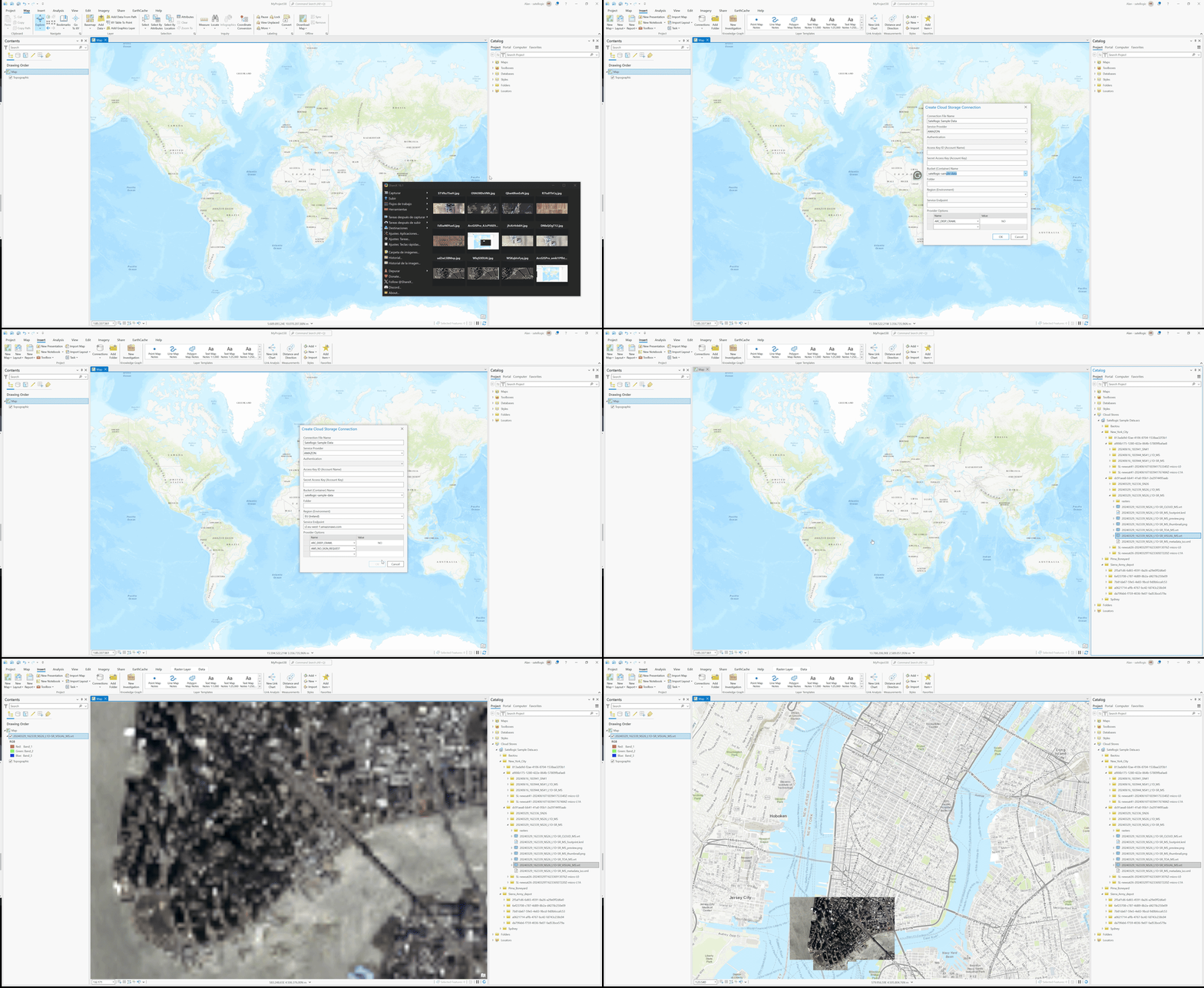
Samples can be visualized directly in ArcGIS as Cloud Store data source allows to browse and visualize the data on the fly, without having to download anything. The following screen recording shows an example on how to do it.
License
The downloaded files are provided as samples to allow for the evaluation of Satellogic data quality, formats, and general fitness for purpose for the evaluator's intended use(s). By downloading the sample data you are granted limited rights exclusively and solely for the evaluation, as defined above, and no other rights. You further are not permitted to publish, disclose, or otherwise communicate the results of your evaluation to any other party. Should you not agree to the rights above, you agree to immediately delete all downloaded data in its entirety.