AOI Tasking Workflow
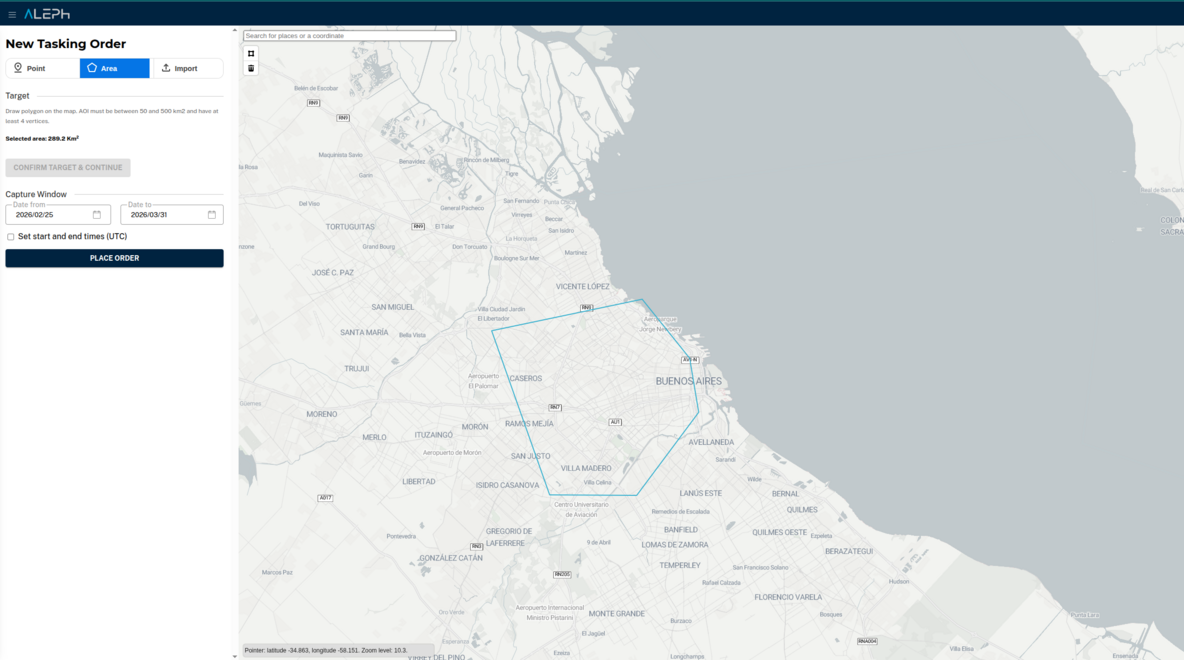
This workflow explains how to place an area-based tasking order in V2.
Workflow steps
- Open Create Order and select an AOI tasking product.
- Define the AOI geometry (draw or upload). The area must meet a set of geometry requirements (size, shape, no holes, etc.) or the order will be rejected.
- Set product parameters and time window.
- Submit the order and track it in My Orders.
- Review capture and deliverable events in Order Details.
- Access completed deliverables in My Library.
API cross-links and SKUs
- Standard Area Coverage (AOI) SKU: TSKARE-M
- AOI Geometry Requirements
- Orders API overview
- Orders API specs
From V1 Tasking API? This is your direct equivalent for AOI tasking. In V1, you'd call Analysis API (feasibility) then Tasking API (create task). In V2, use Orders API with an AOI SKU. See Migration Decision Matrix for side-by-side code examples and AOI-specific capabilities.