Archive Products Workflow
This workflow explains how to order archive imagery in V2 and where to find the final assets.
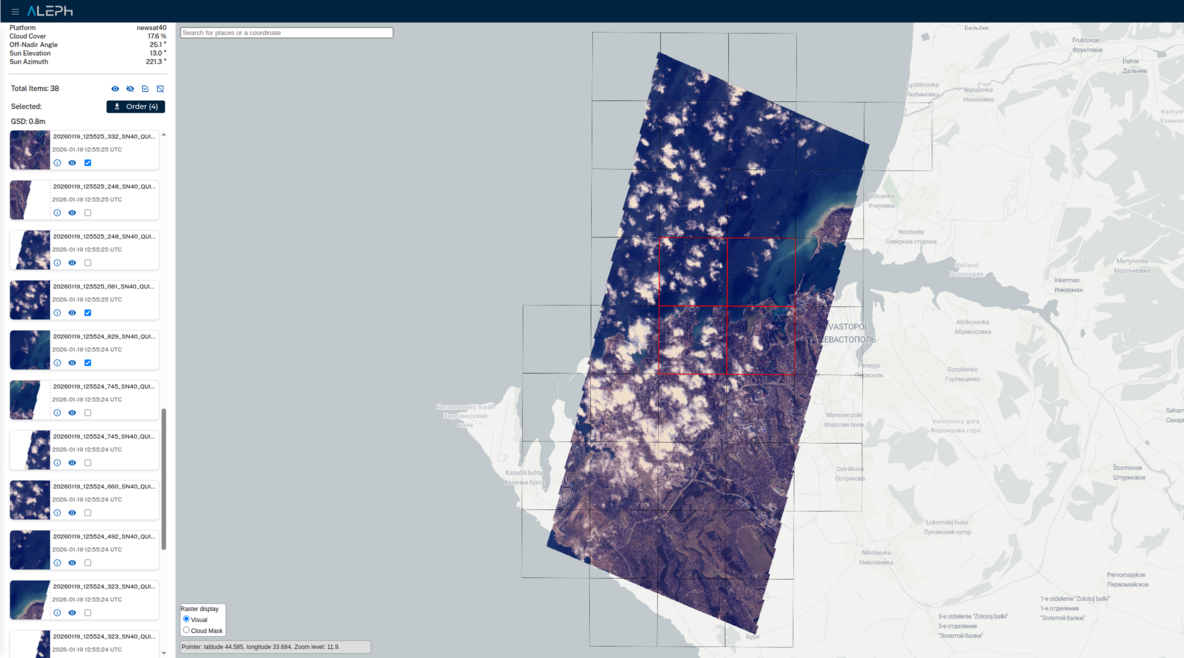
Workflow steps
- Search and browse in Archive Explorer. L1B tiles are displayed for available captures.
- Select the tiles you want and create an order. The selected area must meet a set of geometry requirements (solid, valid, at least 4 km²) or the order will be rejected.
- In the order form, set the processing level and the order name.
- Track progress in My Orders. The system generates the requested processing level and clips the capture to your selected area.
- When deliverables are completed, access them in My Library.
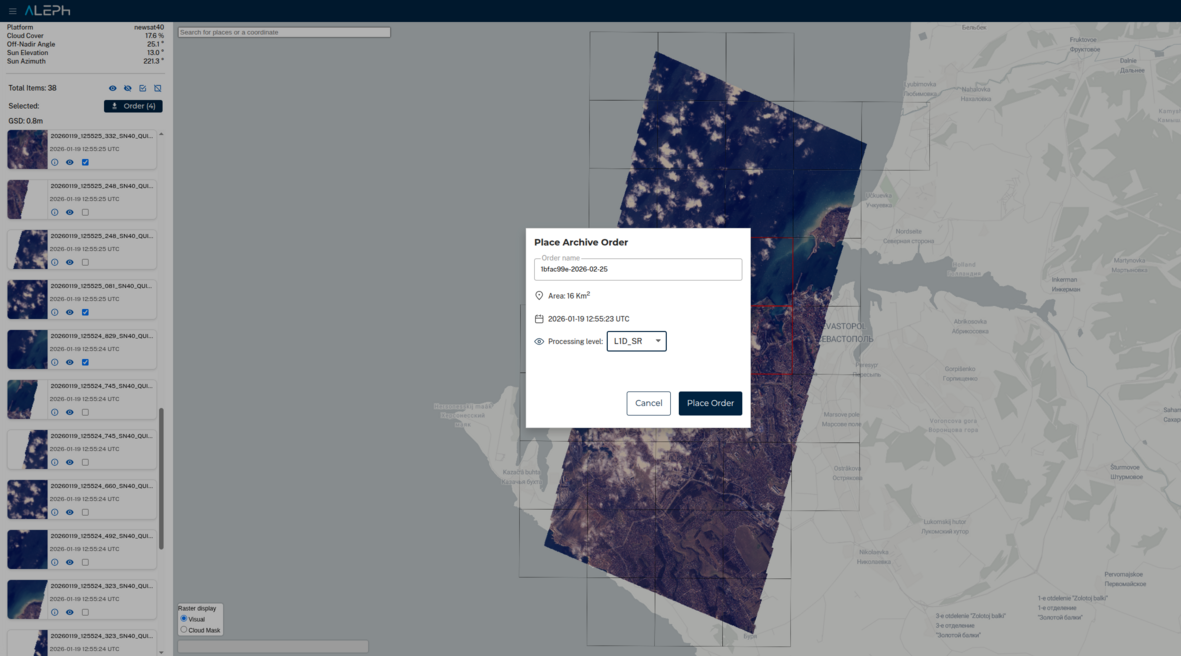
Notes and behavior
- Deliverables use the same file formats as tasking products.
- If an error occurs, deliverables appear as NOT_DELIVERED and their events explain the failure reason.
API cross-links and SKUs
- Archive product SKU: ARCIMG-M.NN.NN
- Archive Geometry Requirements
- Orders API overview
- Orders API specs
For V1 archive consumption tracking: If you need to understand how your V1 archive tile downloads are tracked in V2, see Archive Consumption (V1 to V2).
From V1 archive API? In V1, you could only download L1B tiles via STAC. V2 adds API-first ordering of any processing level with automatic clipping and stitching. See Archive Consumption (V1 to V2) for how your past tile consumption maps to V2 orders.